




BETA
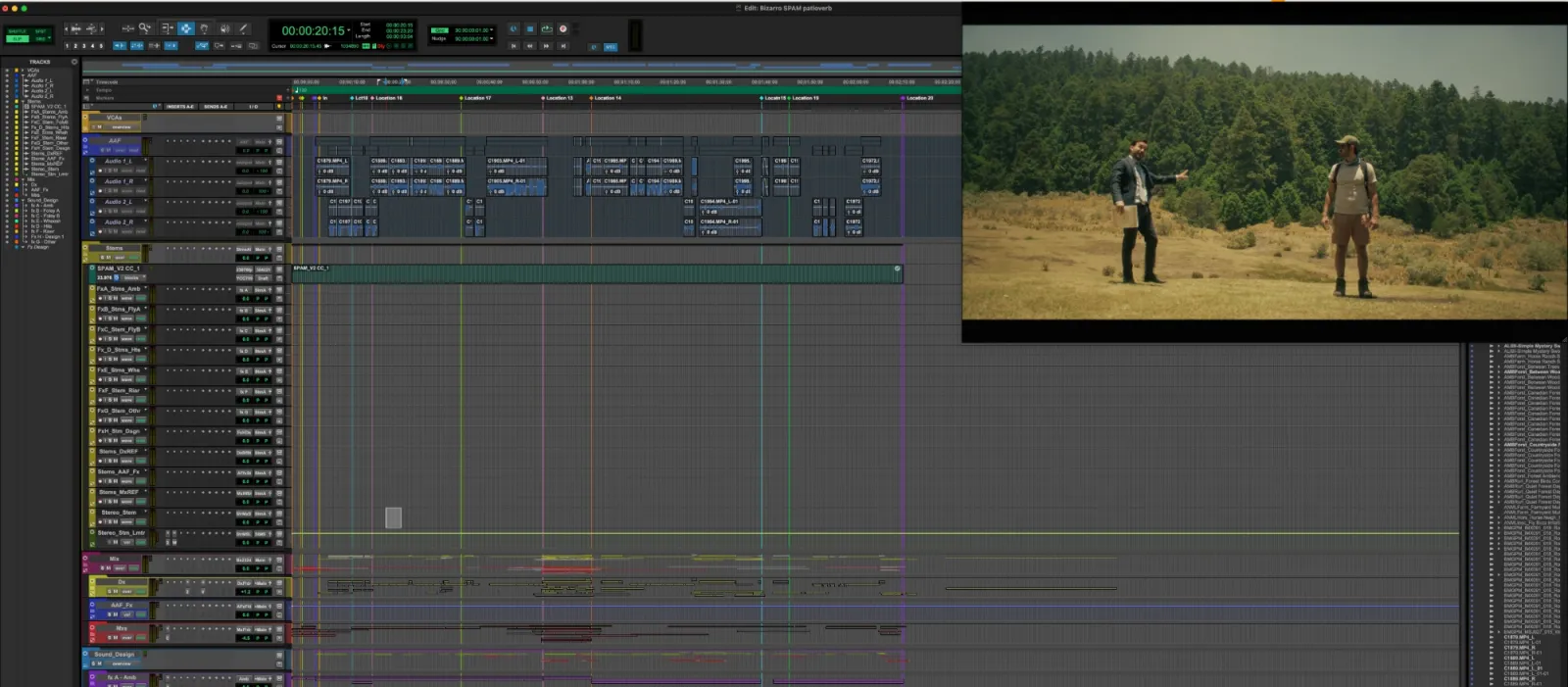
Finally, Pro Tools video that works
Stable video in Pro Tools. No freezing, no RAM hogging, no extra-app feel.
 Pro Tools · Mac only
Free · no account, no license
FREE DOWNLOAD FOR MACWindows: coming soon
BETA
Stable video in Pro Tools. No freezing, no RAM hogging, no extra-app feel.
Pro Tools · Mac only
Free · no account, no license
FREE DOWNLOAD FOR MACWindows: coming soon
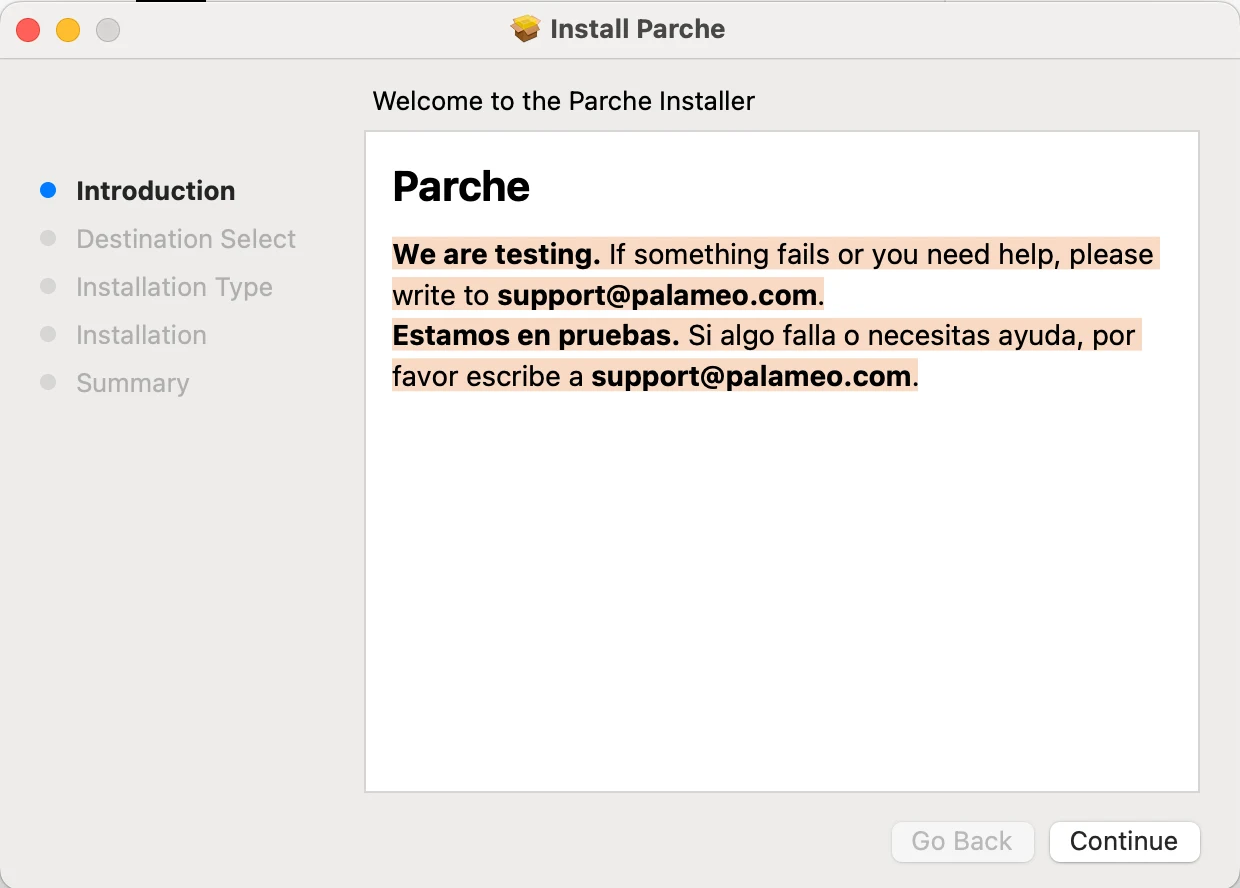
Download the zip, open the installer (.pkg) and follow the steps. Then open Parche and grant the Accessibility permission.
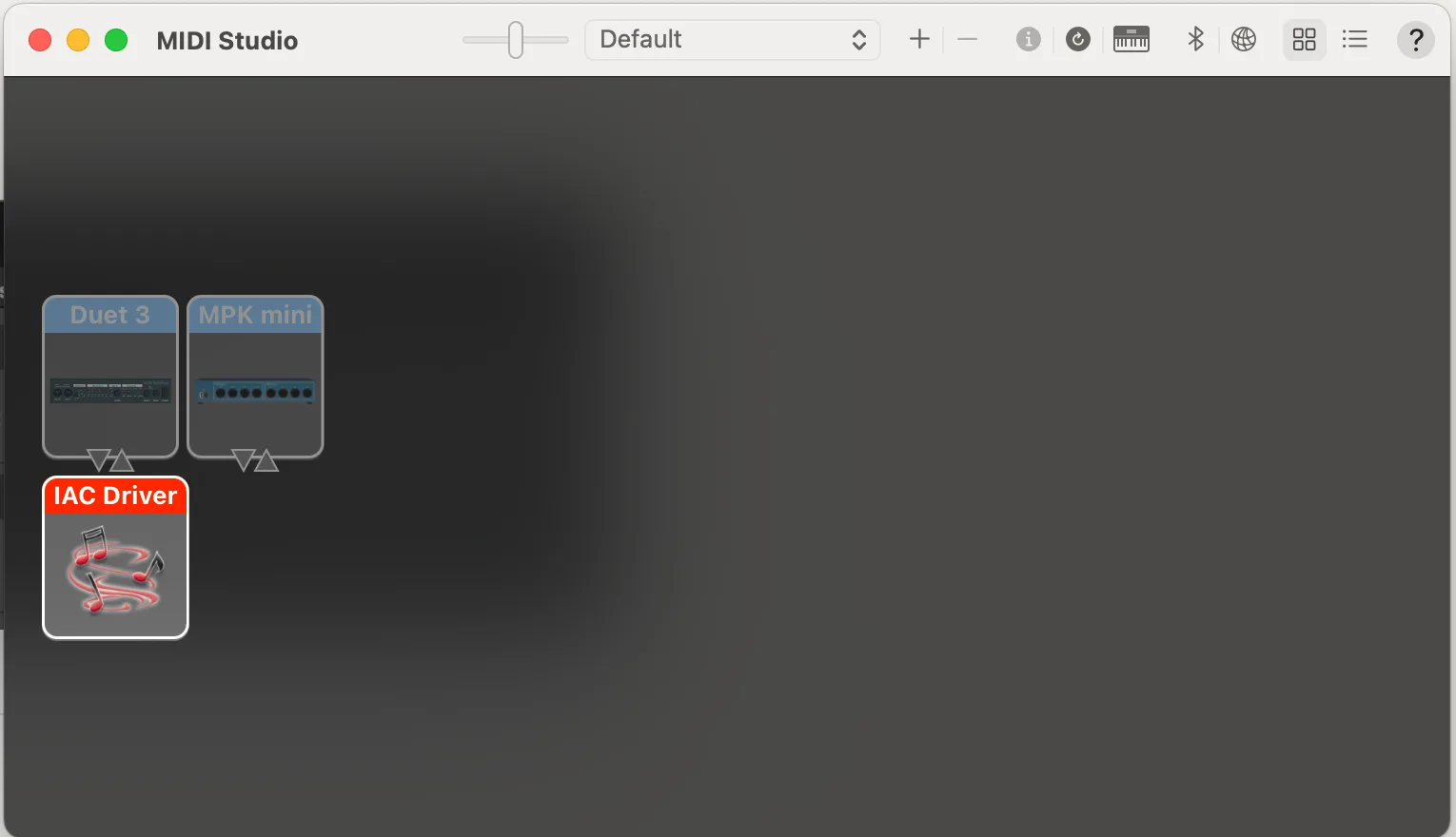
Open Audio MIDI Setup, Window, Show MIDI Studio. Double-click IAC Driver and check Device is online.
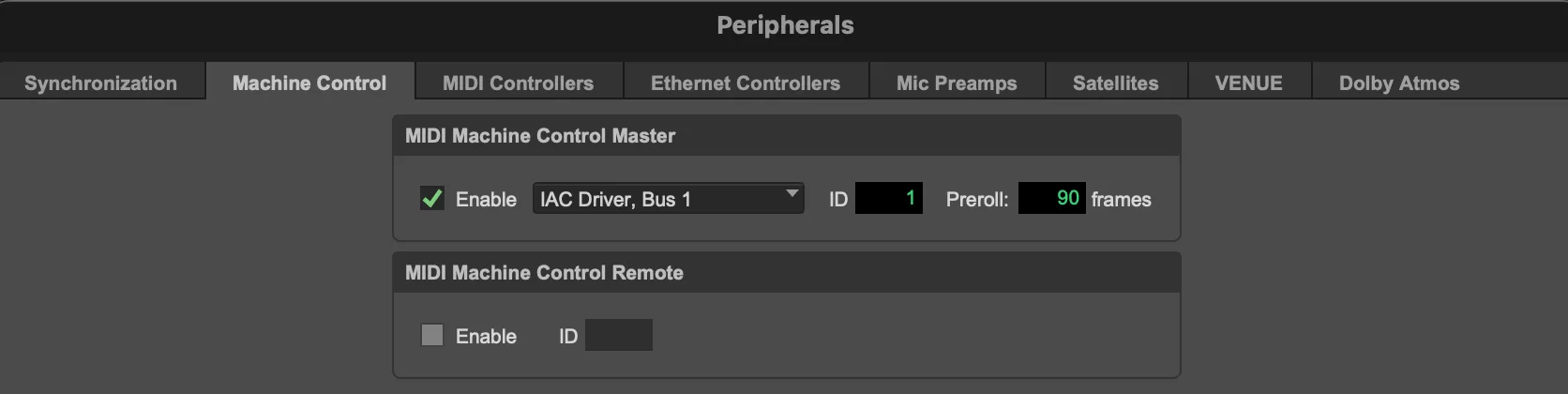
In Pro Tools: Setup, Peripherals, Machine Control. Check Enable under MIDI Machine Control Master and choose IAC Driver, Bus 1.
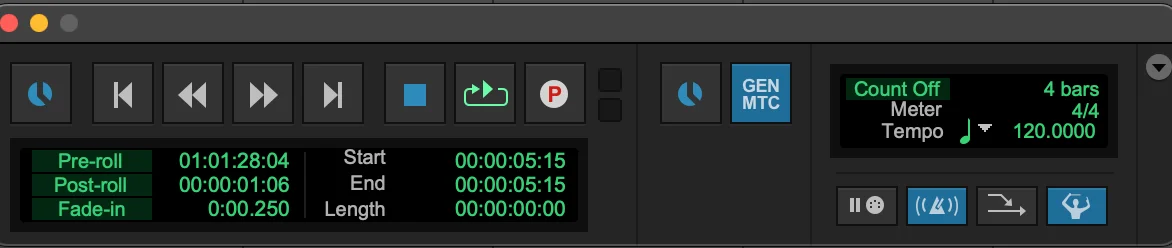
In Transport turn on GEN MTC (it turns blue). In Synchronization, MTC Generator Port: IAC Driver Bus 1.
Open Parche and drop your video on its window.
Film and TV sound post pros who are done suffering with Pro Tools video.
Nothing. It is free, with no account and no license.
The Pro Tools video engine (Avid Video Engine) freezes. Parche takes the video out of there and plays it on its own, synced to the Pro Tools transport.
Whatever macOS plays: ProRes, H.264 and HEVC. DNxHD and DNxHR in .mov may not play if you don’t have the Avid codecs installed.
No. It doesn’t use the internet and doesn’t ask for microphone, camera or screen access. It only writes its preferences and a small Parche.json file in your session folder.
Only to read the Pro Tools counter. It never sends keystrokes or clicks to other apps.
It is English only. It is not tested with 29.97 non-drop frame or with reverse playback. There is no Windows version.
The installer and the app are not signed by Apple. Right-click the installer (.pkg), choose Open, and choose Open again. Then, if macOS blocks Parche when you open it, go to System Settings, Privacy & Security, scroll to the notice and click Open Anyway.